How Do Pet Store POS Systems Handle Tip Distribution and Reporting for Grooming Staff?
A pet store POS records one tip per invoice at checkout, keeps it out of commission, splits it across the staff who worked the order in proportion to the service revenue each produced, and reports it per person and per period in the Pay Center and the staff report.
Tips are the part of the job nobody puts in the handbook. The client hands over cash at the counter, says give this to whoever did the work, and the shop is left holding a number that has to become three different things by payday: a fair split between the people who were there, a line on the revenue report, and an answer when someone asks why they got less than they expected.
Most shops still solve this with a jar and a memory. The jar is fine until a big doodle needs two groomers and one of them also sold a bag of food on the way out. Then the argument starts, and it is never really about the money. It is about whether the split was fair, and whether anyone can prove it.
A POS should take that off the counter. Here is how Pawfora handles it, from the moment the tip is typed in to the report the owner reads on the first of the month.
The Short Answer: Capture Once, Split by Revenue, Report Per Person
Pawfora records one tip per invoice at checkout. It keeps that tip out of commission entirely, splits it across the staff who worked the order in proportion to the service revenue each of them produced, and reports it per person and per period in two places: the Pay Center and the staff report.
No jar, no memory, no spreadsheet reconstructing who was on shift six weeks ago.
How Tips Are Captured at the Till
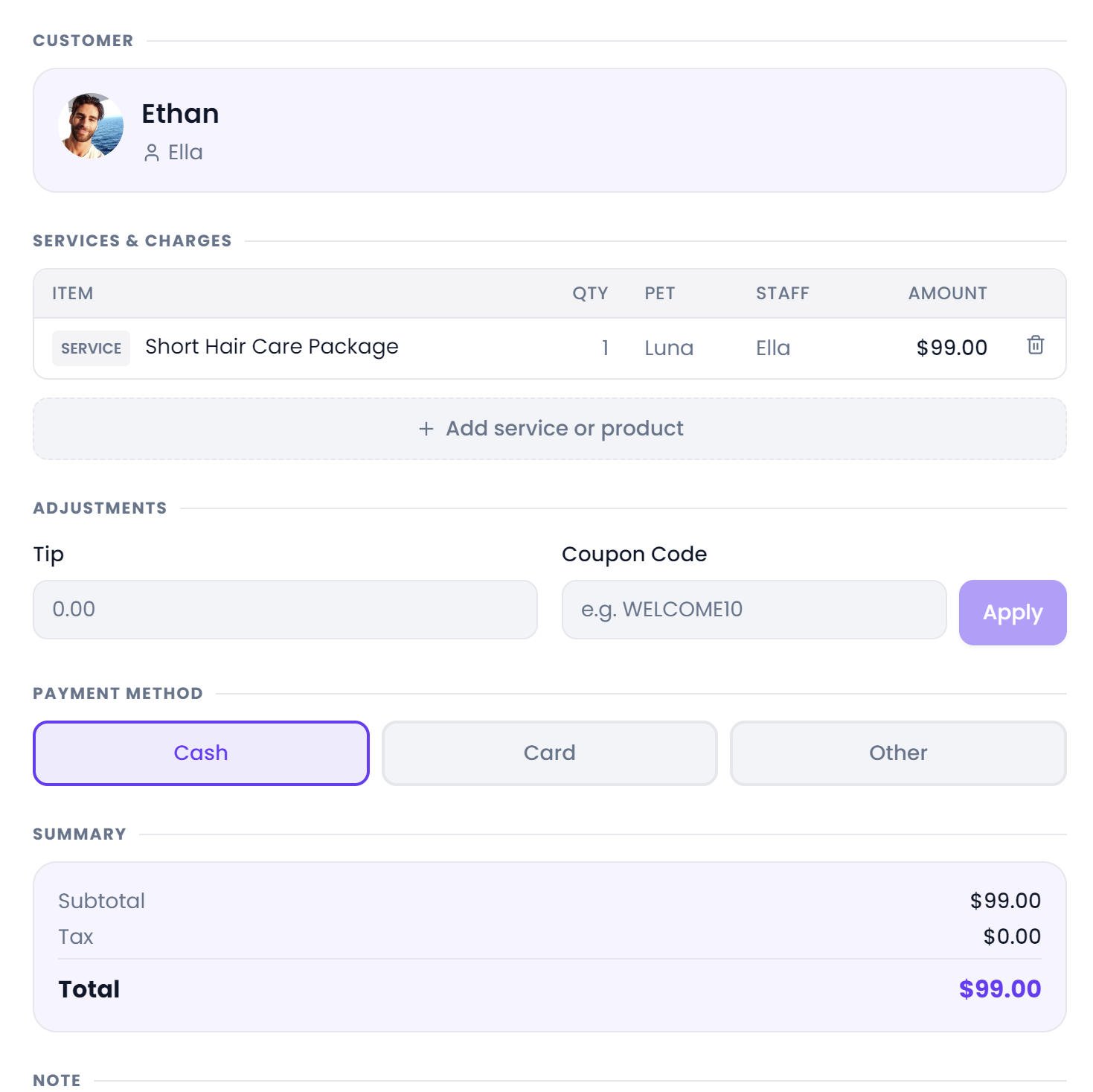
The tip is a field in the settlement panel, right next to the coupon field. You type it once, for the whole visit, and that is the only time anyone touches it.
It then joins the invoice the same way tax and discounts do. The total is subtotal plus tax, minus the coupon, plus the tip. The tip is stored on the invoice itself, so the invoice is self-contained, and it is also written onto the payment record. Invoices from before the invoice-level tip column existed still work: the system falls back to the tip recorded on the payment, and the old data was backfilled when the column was added.
One detail worth knowing, because it decides how far this can go: the tip is per invoice, not per service. One number for the whole visit. That is how clients actually tip, so it is the right shape, but it also means the split has to be worked out from the services on that invoice. Which is what the next section is about.
Who Earns the Tip on a Shared Job?
The tip belongs to the staff who worked the order, and the system already knows who that is. Every service line on the invoice carries the staff who performed it, recorded at checkout. If a line somehow has no names on it, the system walks back through what it knows: the names written on older invoices, the staff assigned to that service on the appointment, everyone who took part in the appointment, and finally the appointment's primary groomer. It stops at the first thing that works.
That staff set is collected across every line on the invoice, including the zero-priced ones, because the split is keyed on it. A complimentary add-on still names the person who did it, and that person is still in the room when the tip gets divided.
How Revenue-Proportional Tip Splitting Works
Each person's share of the tip matches their share of the service revenue on that order. Two groomers on a hundred dollar groom, one carrying seventy of the work and the other thirty, and a ten dollar tip splits seven and three.
When every service line was zero-priced, a comped visit or a goodwill groom, there is no revenue to weight by and the tip splits evenly. That is the only defensible answer in that case.
This is also the approach the big payment platforms take. Weighting the tip by the money each person produced, rather than splitting it flat, means the person who did the bulk of a two-hour doodle is not paid the same as the person who did a nail trim on the same ticket. Flat splits sound fair and are not.
Why Tips Stay Completely Separate from Commission
A percentage of a tip is not a commission, and Pawfora never treats it as one. Commission is calculated on service revenue, meaning the discounted price the client actually paid. The tip is excluded from that base completely, and reported as its own figure next to it.
That separation matters more than it sounds. It means raising a commission rate never quietly eats the tip, and the two numbers never get tangled in the same argument. The groomer's cut of the ticket is one conversation. The tip is another. Both are visible, neither is derived from the other.
Reporting Tips in the Pay Center & Staff Analytics
In the Pay Center. Pick a date range and it runs. There is no generate step, no confirmation, nothing to close before you can see numbers. Each staff member comes back with four separate figures: order amount, commission, tips, and any weekend extra. Total tips for the shop sit at the top of the report.
From there you open one person and read it order by order: every visit, the discounted price that formed the base, how many staff shared it, the commission it produced, the weekend portion, and the tip share that came with it. That drill-down is what ends the argument, because both people can read the same rows.
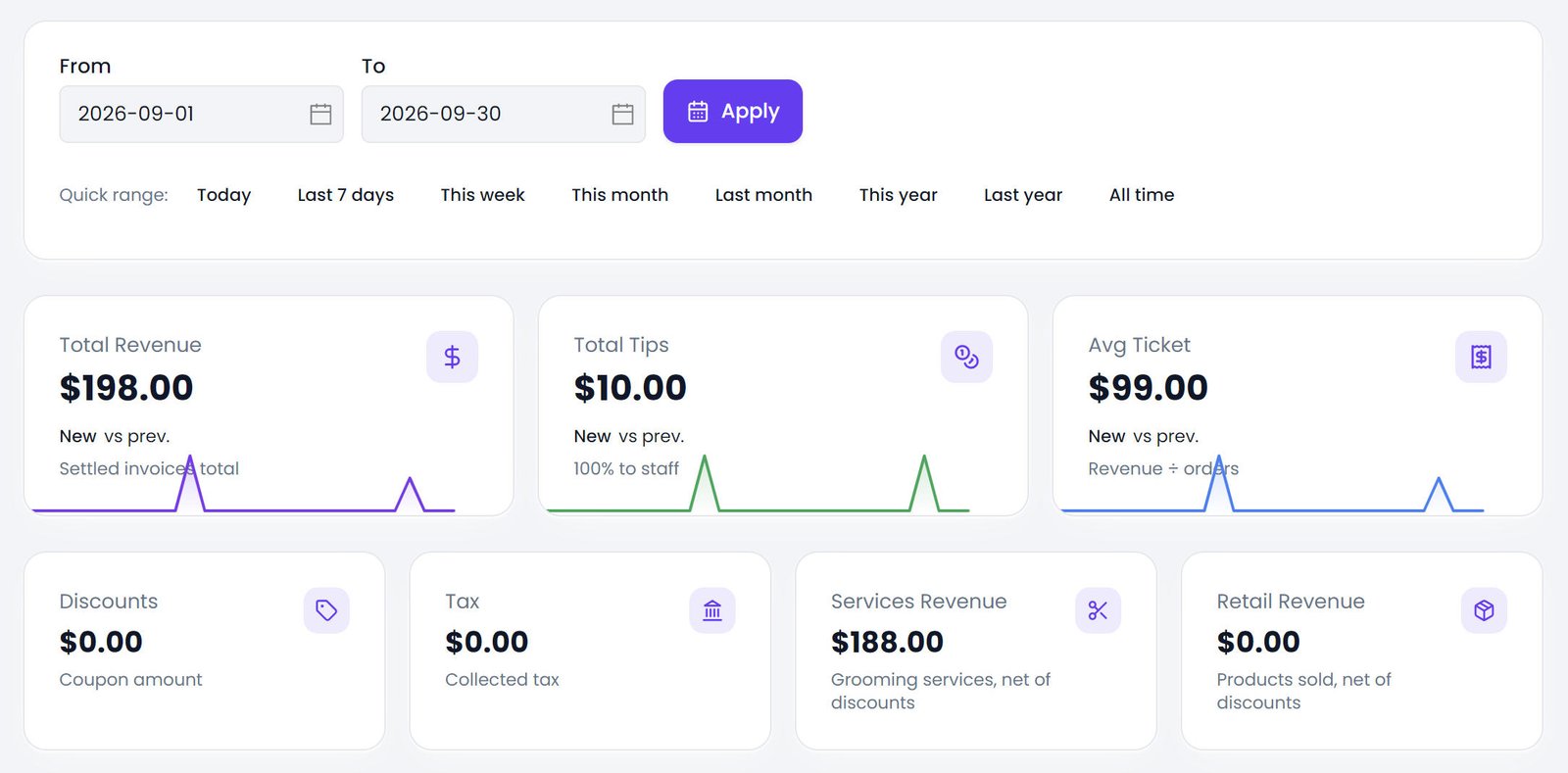
In the staff report. Under Reporting, it looks at the same money from the performance side. Each person gets jobs, revenue, tips and average ticket for the period, with the previous period of the same length sitting alongside it so you can see direction. There is a daily tips trend for the chart, and an all-time range when you want the long view.
In the financial reports. Tips travel at the store level too: total tips for the period, the change against the previous one, and the trend line.
Settlement Anchoring & How Voided Invoices Are Handled
Every one of these reports is anchored to when the invoice was settled, not the date of the service. A job done on the thirtieth and paid on the first counts in the new month, which is how you actually think about it: this is what we collected this month.
Voided invoices are excluded everywhere. When a settlement is reversed, its total and its tip stop being money the store owes anyone, so they leave the report the moment the invoice is voided. If the visit is re-settled later, the fresh invoice carries its own tip and counts under that one.
One small thing that trips people up: tips never inflate the job count. A person's appointments count the visits they worked. Their tips ride alongside, and adding a tip-heavy week does not make it look like they worked more visits than they did.
What Pawfora’s Tip System Does Not Do (Honest Limitations)
I would rather say this now than have you find it later.
The system calculates and reports tips. It does not run payroll. It does not produce pay slips, and it does not file or calculate payroll tax. You read the figure and pay people however you already pay people. There is a pay stub table in the data model, but nothing writes to it yet: no screen, no route, no payslip generator. It is a placeholder for a payroll product that is not built, and it would be dishonest to sell it as one.
And since the tip is one number per invoice, tipping a specific service or a specific person by name is not modeled. If a client wants to hand Maria a five for the doodle specifically, that still happens outside the system, the same way it always has.
Summary & Next Steps
Capture the tip once at the till. The system keeps it out of commission, splits it across the people who did the work in proportion to what they produced, and shows it per person and per period, with the drill-down to settle any argument about who earned what.
The number the owner reads at the end of the month is the number the till recorded when the card was taken, because it is the same number.
Ready to stop running tips through a jar and a memory? See how Pawfora handles staff assignment, the Pay Center behind it, and retail and reporting on the same system.
See it on your own shop
Every module is unlocked for 7 days. Set up your services and take a real booking before you decide anything.
No credit card required · Cancel anytime