

How Can Groomers Prevent Double-Booking When Accepting Both Online and Walk-In Clients?
Yes. Pawfora merges online requests and front-desk walk-ins into one real-time calendar. Pending online requests immediately hold the groomer's seat, blocking overlapping walk-ins, while a pet-level lock and row-level database checks prevent the same dog from being booked twice.
Two Doors, One Calendar
A grooming shop takes bookings two ways. A client books from the couch on the online page, and another one walks in off the street while the phone rings. The fear is always the same moment: two people grabbing the ten o'clock slot, and somebody has to call a customer back with an apology.
The thing that stops that is not a policy on the wall. It is the fact that both doors write to the same calendar. There is no second book to reconcile. A grooming shop software that runs the online page and the front desk into one appointment list means a seat taken through one door is taken through both.
What differs is how each door gets there. That difference is the whole answer, so it is worth being precise about it.
An Online Request Is a Reservation, Not Yet a Booking
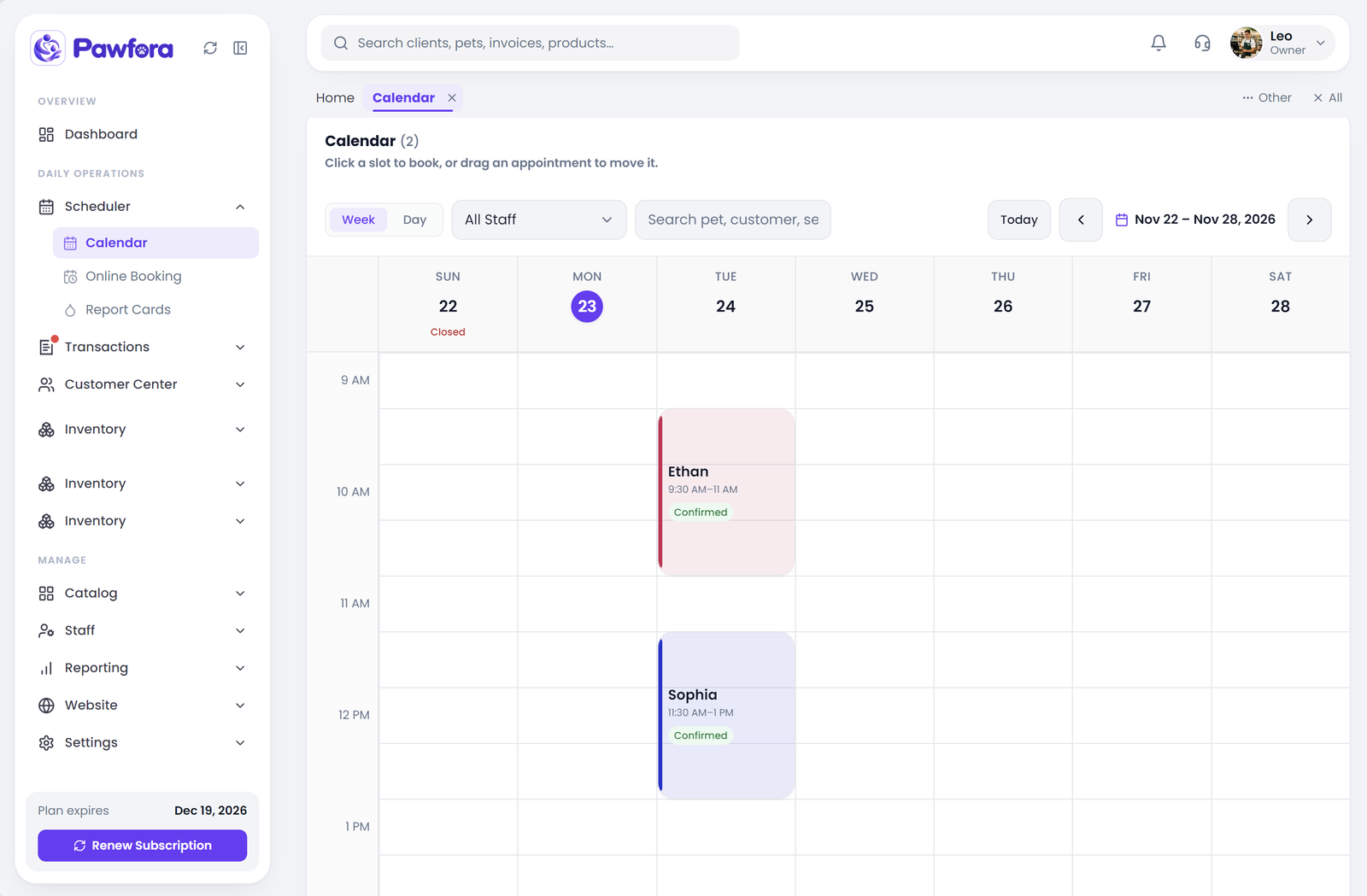
When a client books on the website, the visit does not land on the calendar as a done deal. It arrives as pending, marked with where it came from, and it waits in a confirm queue for a person to accept it. The groomer reads it, checks the day, and confirms it, or leaves it sitting.
But a pending request is not free. It already holds the groomer's seat. The moment it arrives, it counts against the groomer's capacity for that window, so the slot it asked for is no longer open for a walk-in to walk into. The request does not have to be confirmed first to protect the slot. Reserving it is enough.
That is the quiet part most shops do not expect. The online booking is not floating somewhere else until someone clicks accept. It is already a claim on the chair.
A Walk-In Claims Its Seat the Moment You Save It
A walk-in is the opposite shape. There is no queue. The receptionist types the client into the calendar, picks the groomer, and saves. The visit is confirmed then and there, and its record says it came from the desk rather than the web.
Because a walk-in goes straight in, it hits the same seat check the online page did. Type a walk-in over a slot that is already claimed, and the save is refused. The message names the groomer, so the receptionist knows exactly who is already holding that time. The walk-in does not silently stack on top of the existing booking.
The Same Check Guards Both Doors
The check itself is one number on each groomer's record: how many pets they can handle at once. It starts at one and can be raised, because a groomer working with an assistant genuinely has two hands. A solo groomer at one means one chair per slot, no exceptions.
The rule counts every visit that is still live in that window, whether it came from the web or the desk. Confirmed and in-progress visits hold a seat. So does a pending online request. What releases a seat is an ending: cancelled, completed, or no-show. A dog that finished and went home at ten is not still sitting in the chair at eleven.
This is the piece that makes online and walk-in safe together. Both channels are judged by the same count against the same groomer, so there is no gap where one door sees the seat empty and the other sees it full.
The Pet Can't Be in Two Chairs at Once
Capacity protects the groomer. A second check protects the animal.
One pet cannot be booked into two overlapping slots, no matter which door each booking came through. If Fluffy already has a ten o'clock from the online page, typing a walk-in for the same dog at the same time is refused. The owner is deliberately not part of this rule, so two dogs from the same household can see two different groomers at the same moment. The lock is on the animal, not the family.
This matters in a shop where the same regular comes in every week. It stops the quiet double-booking where the same dog ends up on two groomers' boards because one entry came from the website and one from the front desk.
The Same-Second Save
The awkward case is the one where everything happens at once: a client confirms an online request on their phone at the exact second the receptionist types a walk-in for the last open slot. The calendar checks are good, but two people acting at the same instant can both pass the check before either writes.
Pawfora closes that gap inside the save itself. It locks the groomer's row and the pet's row, re-reads the schedule, and runs the checks again under the lock before writing. Two people submitting the same slot at the same moment produce one booking and one refusal. There is no version where both slip through and the shop finds out at the weekend.
Confirming a Batch Re-Checks Every Seat
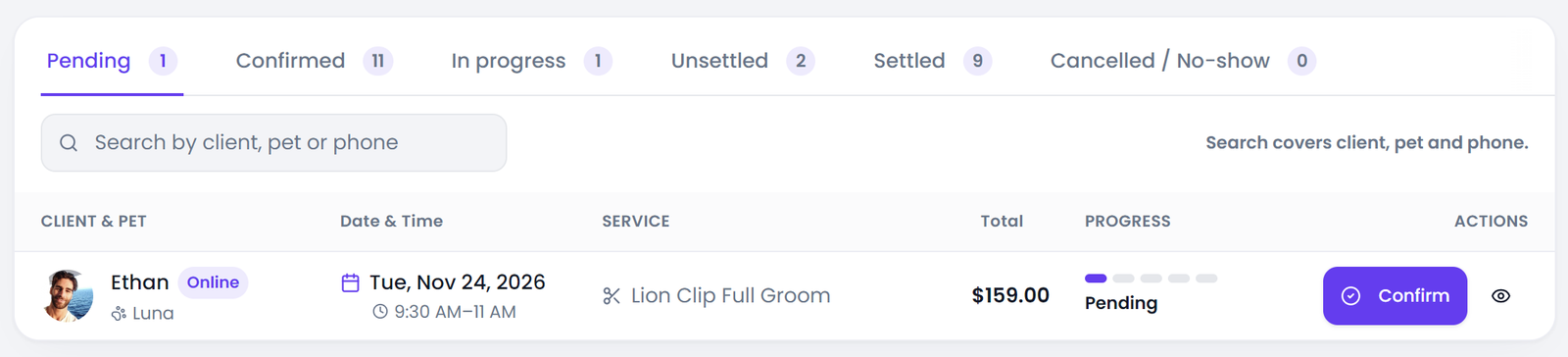
Online requests arrive in a queue, and a busy shop confirms them in a batch. That is where a second round of checking happens, and it is the last line against the two-door collision.
When the groomer confirms a batch of pending requests, each one is re-checked before it becomes a real appointment: still on the roster, still not on leave, and the groomer still has a seat. A request that no longer fits is skipped with a reason, not confirmed on top of something else. So if a walk-in took the last chair while a request sat in the queue, that request comes back as skipped rather than doubled up.
Run It So Nothing Collides
The setup is short. Leave every groomer's capacity at one unless they genuinely work with an assistant. Let online requests sit as pending until someone confirms them, and confirm from the queue, which re-checks each seat as it goes. Enter a walk-in the moment it walks in, so the calendar is always the truth the next person reads.
That is the honest shape of it. The online page and the front desk meet in one calendar, a pending request still holds its chair, and the same seat check plus the same pet lock guard both doors, re-run under a lock at the moment of saving. For the half that is about who is even working that day, the schedule board and booking checks cover the roster behind these checks. Set it up once, and start a free trial before the next Saturday fills up.
Related questions
See it on your own shop
Every module is unlocked for 7 days. Set up your services and take a real booking before you decide anything.
No credit card required · Cancel anytime