
How to Track Pet Vaccination Records and Expiry Dates in a Pet Store POS
To track pet vaccination records and expiry dates in a pet store POS, log each vaccine's expiry date on the profile, set a manual reminder for the next due date, and collect records via digital intake forms. Pawfora keeps the vaccine, deworming, and status badge on one profile so staff confirm compliance at check-in.
Most shops I talk to still run their vaccine tracking on a wall calendar, a stack of sticky notes, or a spreadsheet someone updates when they remember.
It works until it doesn't. A dog shows up for boarding or a full groom, and nobody is quite sure if the rabies shot is still current. You flip through a binder or dig through a busy inbox. The date is there, maybe, but you can't prove it to the owner or your staff in thirty seconds.
When you run your business on Pawfora's unified pet POS software, that friction disappears. A pet's vaccination and deworming history, plus its grooming reports, lives directly on the pet's profile, right where you check them in.
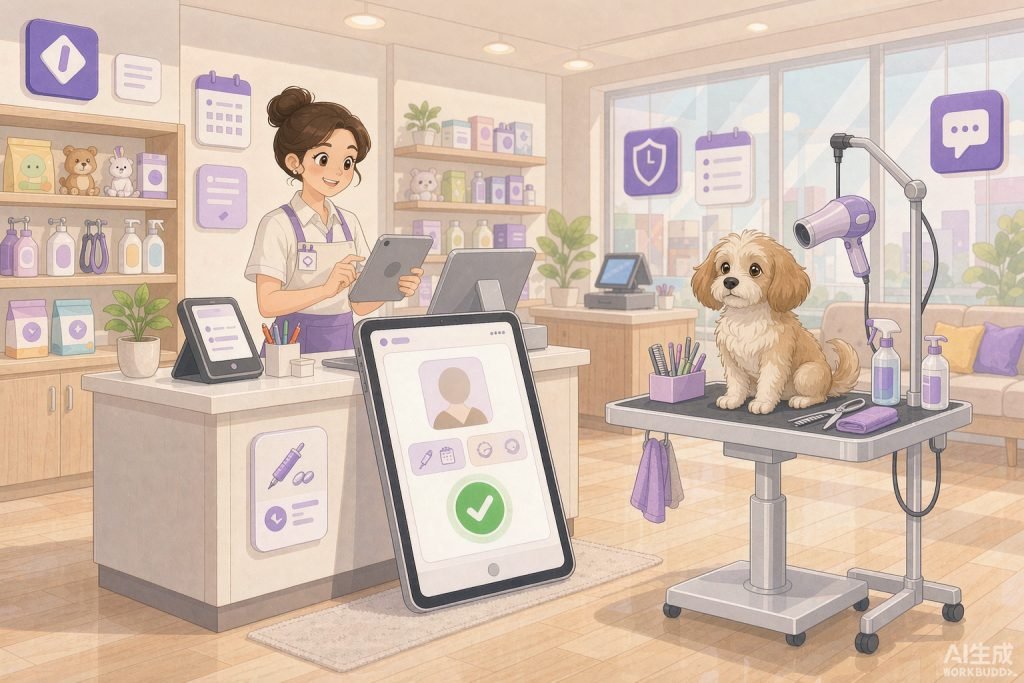
1. Log every vaccine and expiry date on the pet's profile
Good pet record management is mostly about capturing the right fields once, at the right moment. You can update vaccination records in seconds during booking or check-in, instead of cross-referencing paper logs or a separate database.
Logging vaccines and expiration dates
- Open the client record, then select the pet.
- Go to the Care area and open the Vaccinations tab.
- Click "Add vaccine" and fill in three fields:
- Vaccine name (for example Rabies, DHPP, Bordetella)
- Date given
- Expiry date
Pro tip: the expiry date is the one field staff keep skipping, and it is the one that saves your business later. Logging it turns a guess into a verifiable fact your front desk can pull up on the spot.

Tracking deworming and other treatments
Deworming sits on its own tab right next to vaccines:
- Treatment type
- Date administered
- Next due date
- Medication used
Keeping deworming in a dedicated tab means a pet's care history stays readable, instead of being buried in one long block of text.
2. Turn expiry dates into reminders without spamming clients
When you log a vaccine or deworming record in Pawfora, tick the "Add a reminder" box and set the date the shot is next due. Pawfora drops the task onto your client reminder list, showing the reminder type, the due date, and whether it has been sent.
Open the reminder and click Send, and an email goes out to the client. You can also batch these at the end of the day.
Why Pawfora reminders are manual-send, not automatic
Pawfora will not silently email your whole customer base on its own. The date is set and the message is triggered by you. It also honors each client's email preferences, so a reminder is cancelled on its own if that owner has opted out of reminder emails.
For most pet business owners this is the right amount of control. It stops a single typo in a date from spamming hundreds of clients at once, which is exactly the worry that keeps shop owners away from fully automatic systems.
3. Capture vaccine records before arrival with digital intake
Your front desk should not be re-keying data from a crumpled paper card. With Pawfora's digital online intake forms, a new client gets a link when they book their first appointment:
- Owners enter vaccine names and dates, and upload shot certificates, on their phone.
- The records sync to the pet's profile before they reach your lobby.
- Your team verifies the uploaded document against the profile.
This matters most for pet boarding vaccine requirements, where a lapsed rabies or kennel-cough shot is the difference between a booking and a refusal. The proof is already on file before the dog walks in.
4. Confirm compliance at check-in with the vaccination status badge
On a busy Saturday morning you don't have time to read a full care log. Pawfora shows each pet's vaccination status in the booking quick view, as a clear color-coded label:
- Up to date (green)
- Due (yellow)
- Not vaccinated (red)
- Unknown (gray)
Your staff can tell in a glance whether an animal is cleared for the grooming area or the boarding facility, without opening the full record.
5. Four habits for bulletproof pet record management
Train your team on these four daily habits to keep the shop running smoothly and compliant:
- Log the expiry date immediately. Don't promise yourself you will fill it in later, because later never comes on a busy Saturday.
- Tick the reminder box every time. Future you, and your annual-booster revenue, will be glad.
- Keep the status badge honest. Update it as soon as a new record is verified.
- Require intake updates for puppies. Multi-shot puppy schedules move every few weeks, so ask owners to update their digital intake before each visit.
The short version
Tracking pet vaccines should not eat your morning or put your shop at risk. In Pawfora it takes three fields on a pet's profile and one checkbox. The records follow the pet, the expiry date is always visible, and reminders go out exactly when you say so.
Ready to upgrade your pet record tracking? Stop guessing vaccine dates and ditch the wall calendars. See how Pawfora brings pet profiles, retail POS, and grooming schedules together in one platform.
See it on your own shop
Every module is unlocked for 7 days. Set up your services and take a real booking before you decide anything.
No credit card required · Cancel anytime